Discover how an AI voice agent for healthcare handles scheduling, auth calls, and HEP reminders.
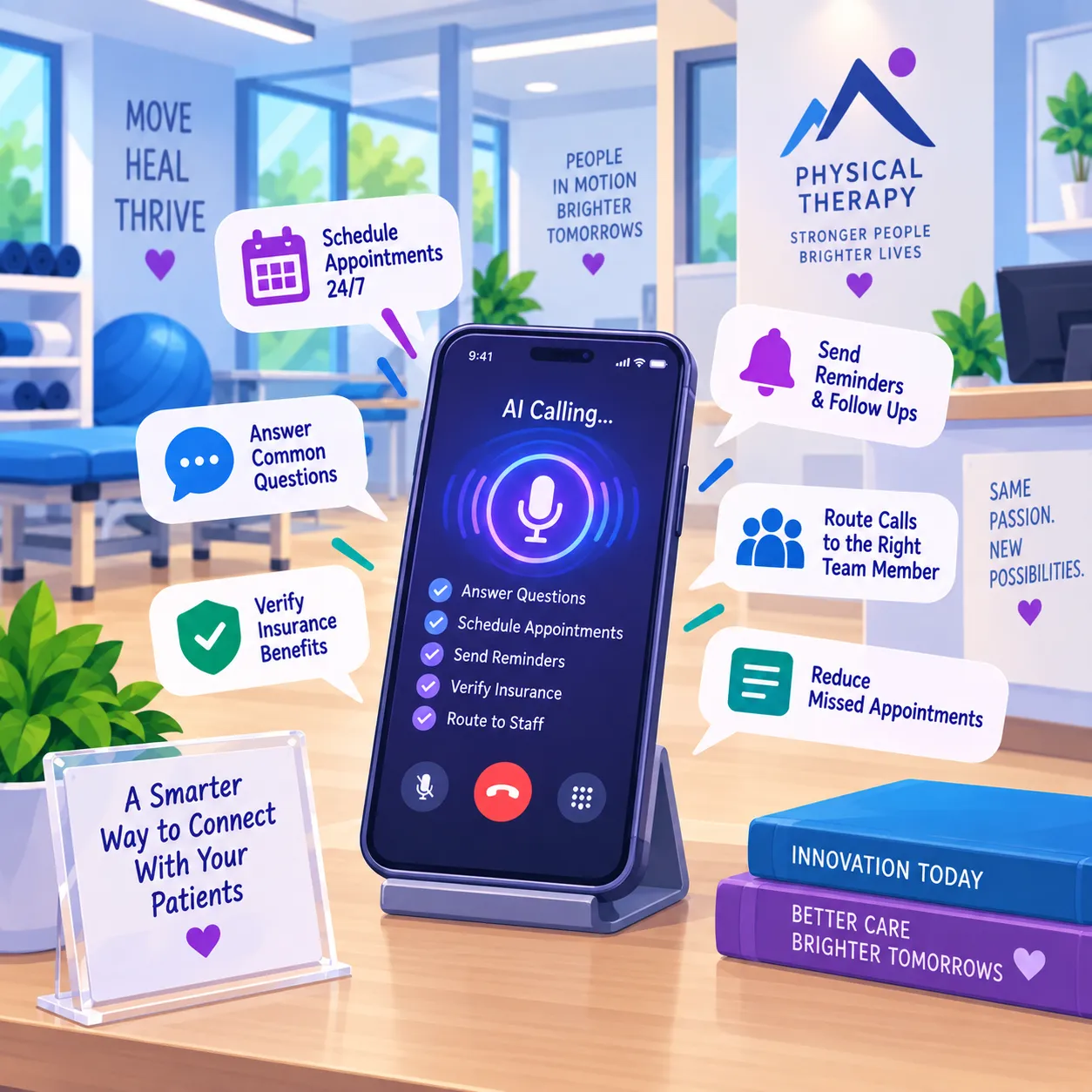
Your front desk staff probably spent half the morning on hold with an insurance company. After lunch, they called back a patient who missed an appointment. They left a voicemail about a home exercise program (HEP) before shift change. None of that required clinical training. Yet all of it took time away from patients in the building.
This is the exact kind of work an AI voice agent is built to handle. The right AI voice agent for healthcare can take authorization calls, appointment reminders, and HEP follow-ups off your front desk's plate, all while staying HIPAA-compliant.
The only catch? It must be designed for therapy clinic workflows. It also needs to connect to your scheduling and documentation systems. This guide covers which platforms connect to therapy EMRs and what to evaluate before you sign anything.
See How AI Is Changing Physical Therapy Practices
AI is reshaping how therapy clinics handle documentation, scheduling, and patient engagement. This article breaks down where it's already making a measurable difference.
An AI voice agent for healthcare works through four steps, in this order:
For the voice agent to work in a therapy clinic, each step has to meet specific requirements.
ASR is the front end of the stack. It listens to what a caller says and converts it into text. Accuracy depends on whether the model has been trained on therapy clinic vocabulary. Think of a term like "plan of care" or medication names. Consider insurance-specific language and CPT codes, such as 97110 and 97140. All of it needs correct recognition on the first pass.
Still, accuracy is not always guaranteed. Generic speech models trained on broad internet audio misrecognize clinical vocabulary at higher rates than everyday speech. That's why ASR accuracy on your clinic's actual terminology should be a first-order evaluation criterion, not an assumption. Even small transcription errors can lead to the wrong next step.
The orchestration layer sits behind the ASR. It acts as the system's decision-maker. It interprets what the caller wants. Sometimes that's checking an open slot. Other times it's pulling eligibility information or reaching a human. The orchestration layer reads the ASR text and writes to EMR systems. That's what separates a voice agent from a basic phone tree that routes calls without taking action.
TTS converts the system's response back into spoken language. Voice quality and response speed matter here. Patients will hang up if the agent sounds robotic or pauses too long. The best systems produce conversational cadence and natural tone. It sounds close enough to a human voice that patients stay on the line.
After TTS, safety guardrails are the rules that keep the agent inside its lane. They include three types:
These guardrails make a voice agent safe for healthcare. They're also the component most vendor demos gloss over. Knowing how they fit into the four-part technology stack helps you ask sharper questions during vendor demos. Focus on whether the ASR handles therapy terms and if you can customize escalation rules.
AI voice agents cover four broad categories of healthcare call work: patient access and scheduling, revenue cycle management, clinical support and triage, and outbound care continuity. Each category includes tasks a voice agent can own start to finish without a human stepping in.
Patient scheduling automation is where most clinics launch AI. First a voice agent answers inbound calls and checks open slots in the EMR. Then it books or reschedules appointments without involving your front desk. It's no surprise that patient engagement and support make up the largest AI voice agent market segment (Towards Healthcare).
After all, call volume is especially high for therapy clinics. Patients on recurring schedules of two to three visits per week often call to shift appointments. That creates a steady stream of calls that's outsized relative to clinic size.
Beyond appointments, voice agents can check insurance eligibility in real time. They can also start or follow up on prior authorization (PA) requests. Prior authorization is one of the most valuable uses for therapy clinics. Many insurers require approval before a new plan of care begins. Many also require re-authorization after a set number of visits.
The Centers for Medicare & Medicaid Services (CMS) is also making prior authorization faster. Under the 2024 interoperability rule, payers must return urgent decisions within 72 hours. As of January 2026, standard requests must be decided within seven days. By January 2027, FHIR-based (Fast Healthcare Interoperability Resources) PA APIs will be required.
These changes make automated prior authorization more practical for clinics of every size. Not to mention, the same workflows support health insurance calls and medical claims. The agent handles the hold time with payers, so your staff doesn't have to wait for a representative.
On the clinical support side, voice agents can handle symptom screening and route urgent calls to clinical staff. They can answer common pre-visit questions, like what to wear, what to bring, or where to park. The boundary is clear: voice agents should never diagnose or recommend treatment changes. Guardrails must enforce that line.
AI voice agents can also help patients stay on track between visits. They can follow up after missed appointments and remind patients when it's time to return for care. But before using AI for outbound calls, make sure you have the patient's consent. The FCC's February 2024 ruling requires proper consent and disclosures before using AI-generated voices in automated calls.
Therapy clinics have call patterns that generic healthcare voice AI doesn't address. These patterns are different from the calls most hospitals and primary care offices handle:
Most healthcare voice AI guides never mention these workflows. Vendor use case lists are written for hospitals and primary care. If you evaluate a platform against those lists alone, you'll miss the call types that matter most to your clinic.
When a plan of care ends, usually every 30 to 90 days, your front desk needs to contact patients. The goal is to schedule re-evaluation and continued visits. A voice agent can trigger these outbound calls based on plan-of-care end dates stored in the EMR. That eliminates the manual tracking that falls on staff already juggling inbound calls.
Yet, therapy patients on recurring schedules compound the problem. When someone visiting two to three times per week misses a single appointment, rescheduling creates a cascade of calls. A voice agent can handle the entire rebooking loop. It can check availability, confirm with the patient, and update the schedule without staff involvement.
Therapy visits often require prior authorization at the start of each plan of care. Re-authorization is needed at set intervals throughout treatment. A voice agent can place outbound calls to payers to check authorization status. It can follow up on pending requests. Results then get logged back to the EMR. The voice agent eliminates the hold-time burden that currently eats hours of front-desk time every week.
This is where voice AI for medical claims support intersects with therapy workflows. The agent handles the waiting and the data entry. Your staff handles the clinical justification when a denial needs to be appealed.
Home exercise program reminder calls rarely appear on any vendor's use case list. Yet they represent one of the highest-value automation targets for PT, OT, and ST clinics. They're high-frequency, low-complexity, and tied to revenue recovery. Voice agents can call patients between visits to remind them to complete their assigned exercises, reinforcing adherence and improving outcomes.
No-show management for recurring patients carries even higher stakes. A therapy patient on a twice-weekly schedule who misses one visit faces elevated dropout risk. A voice agent can call within hours of a no-show to reschedule, rather than waiting for the front desk to work through a list the next morning. APTA's 2024 benchmark report shows a 9.5% national vacancy rate in outpatient PT (APTA). Many clinics simply don't have the staff bandwidth for these calls.
For clinics using an EMR with HEP tracking, like Empower EMR, the agent can reference the specific program assigned to each patient. That makes the reminder relevant rather than generic.
Dozens of platforms now serve the healthcare voice AI space, but most were built for large health systems. Only a few offer meaningful compatibility with therapy-clinic workflows and therapy-specific ENR systems.
The table below compares the platforms most often named in industry guides, plus one therapy-focused option those guides skip. It adds a filter most comparisons miss: whether the platform's compatibility extends beyond hospital systems to the EMRs therapy clinics actually run.
Vendor | Best For | EHR Compatibility | Pricing Transparency | HIPAA Compliance |
|---|---|---|---|---|
Prosper AI | Patient access and scheduling | 80+ EHR, PM, and clearinghouse integrations (Epic, athenahealth, Cerner, MEDITECH, NextGen) | Volume-based, quote-driven | BAA available; SOC 2 Type II |
Hyro | Health system call centers | Epic, Oracle Cerner, athenahealth, eClinicalWorks, and Meditech, plus 15+ CCaaS, CRM, and telephony integrations | Contact vendor | BAA available; SOC 2 |
Telnyx | Full-stack voice infrastructure | API-based custom EHR integrations; 30 pre-built connectors for CRM, support, and scheduling tools | Per-minute pricing published | BAA available; SOC 2 Type II; HIPAA-eligible |
Assort Health | Specialty scheduling and access | 15+ EHR and PMS platforms; deep athenahealth integration | Contact vendor | BAA with every customer; SOC 2 Type II; full audit trails |
Hippocratic AI | Clinical-grade patient communication | Epic, Cerner, Salesforce; athenahealth, eClinicalWorks, NextGen, ModMed, Allscripts, Meditech | Hourly pricing published (from $5/hour) | HIPAA-compliant authentication; purpose-built compliance benchmarks |
Infinitus | Payer-facing calls (benefits verification, prior auth status, claims follow-up) | API-first; integrates with Salesforce Health Cloud and RCM systems | Quote-driven (license plus usage, or subscription) | BAA available; SOC 2; HITRUST |
Rasa | Custom conversational AI (developer-focused) | API-based (custom integrations) | Open-source tier; enterprise pricing on request | Self-hosted deployment supports HIPAA, GDPR, and SOC 2 alignment |
Synthflow | No-code voice agent builder | 200+ integrations across telephony, CCaaS, and CRM, including athenaOne and Dentrix | Per-minute pricing published (from ~$0.13/min; enterprise from $30K/year) | SOC 2; HIPAA compliance stated; GDPR |
Callin.io | Small business voice automation | API and webhook-based; calendar, CRM, and telephony connectors | Per-minute pricing published ($0.16/min pay-as-you-go; volume rates lower) | SOC 2 Type II; HIPAA-ready architecture; BAA available |
VoiceStack | Therapy and dental practice phone systems | Native practice management integrations, including Empower EMR for therapy clinics | Contact vendor | HIPAA-aligned workflows with PHI redaction and role-based access; BAA reviewed during contracting |
Start by filtering on EMR compatibility. If a platform doesn't connect to your EMR, nothing else on this table matters. Most vendors list Epic, Cerner, and athenahealth compatibility. Therapy clinics need to ask about those integrations directly. VoiceStack is the exception on this list: it integrates natively with Empower EMR, which is why we partner with them. Your second filter should be pricing model. Per-minute pricing favors high-volume call centers. Per-seat, flat-rate, or per-location models give small clinics more steady monthly costs.
One note on scope: most platforms in this table serve the general healthcare market, which is why hospital EMRs dominate the compatibility column. VoiceStack is the exception. It's built for practice-level phone workflows and integrates natively with Empower EMR, which is why we partner with them, and why it's the row most therapy clinics should start with.
Run an AI-First Phone System From Your EMR
Therapy clinics evaluating voice AI need a phone system that connects directly to scheduling, HEP tracking, and authorization workflows. See how VoiceStack pairs with Empower EMR to handle that call volume.
Evaluating a voice AI vendor for a therapy clinic comes down to five criteria: EMR integration depth, HIPAA compliance verification, voice quality and latency, pricing model fit, and implementation support. Each one has therapy-specific requirements that enterprise-focused guides miss.
EMR integration depth is the most important criterion for a therapy clinic. "Integration" can mean anything from basic read-only schedule access to full read-write capability. With full access, the agent books appointments, updates patient records, and logs call outcomes in the chart.
Name your specific system when you talk to vendors. Therapy clinics running Empower EMR, WebPT, Clinicient, or Jane App need to confirm compatibility alongside Epic, Cerner, and athenahealth. Here's the question to ask: "Can your agent write to our scheduling and documentation system, or does it create a task for staff to complete manually?"
Voice quality and latency deserve a live test, not a marketing demo. If there's a noticeable delay between the patient speaking and the agent responding, patients hang up. Ask for a demo using therapy-specific scenarios, like rescheduling a recurring PT appointment or checking authorization status.
Per-minute pricing works for hospitals processing thousands of calls daily. Therapy clinics with one to five providers need per-seat or flat-rate models that produce a steady monthly bill. Ask whether pricing includes both inbound and outbound calls. Check whether there's a minimum commitment that could lock you into paying for volume you don't generate.
From here, ask how long integration takes. Implementation support separates vendors who've worked with small clinics from those who haven't. You want an answer in weeks, not months. Find out whether the vendor provides workflow mapping help and what staff training looks like. A vendor that can't describe a specific onboarding timeline for a clinic your size is a red flag.
The last piece of any evaluation is risk. Clinical, regulatory, and operational risks each deserve dedicated questions before you sign, and we cover all three in detail later in this guide.
HIPAA compliance for voice AI goes well beyond signing a Business Associate Agreement (BAA). A BAA is a contract where the vendor agrees to protect patient health information under HIPAA rules. The real question is what that agreement covers and how the vendor enforces it day to day.
Bring these eight questions to every vendor demo:
The subprocessor question deserves extra attention. Most voice AI vendors use third-party services for cloud hosting, speech processing, and LLM inference. If the BAA only covers the vendor itself, patient data may flow through systems with no HIPAA obligation. Ask for a subprocessor list and confirm each one is covered.
Measuring voice AI ROI for a therapy clinic requires five inputs you already have. Map them against automation benchmarks from production deployments. You don't need a consultant to run this math. You just want to understand what's been streamlined at your front desk.
Gather these five data points from your own practice:
Here's how the math works. Say your clinic handles 800 inbound calls per month and 60% can be automated for scheduling. That's 480 calls your front desk doesn't touch. At an average non-clinical wage of $19 per hour (HCCT), calculate how many staff hours those 480 calls represent. Then compare that cost against the vendor's pricing.
Production benchmarks give you a reality check. Tampa General Hospital saw a 56% drop in daily call abandonment, a 58% reduction in wait times from 6.2 to 2.4 minutes, and a 21% lift in scheduled appointments within two weeks of deployment (PR Newswire). These are large health system numbers, but they establish the ceiling for voice automation.
No-show reduction is the highest-leverage ROI driver for therapy clinics. That's because your patients are on recurring schedules. Walk through the math: say your clinic sees 200 visits per week with a 12% no-show rate. That's 24 missed visits. If a voice agent's same-day outreach recovers even 30% of those, you gain roughly seven visits per week. At a hypothetical reimbursement of $80 to $120 per therapy visit, that's $560 to $840 per week in recovered revenue.
These are example numbers. Replace them with your own data. The framework is the asset, not the specific figures. Plug your five inputs into the model, compare the result against vendor pricing, and you'll know whether AI works for your practice.
Deploying a voice agent in a therapy clinic follows a steady timeline: workflow mapping, EMR integration, staff training, soft launch, and a 90-day monitoring window. Vendor marketing rarely provides these milestones. Here's what to expect.
During weeks one and two, focus on workflow mapping. Identify which call types the agent will handle first. Inbound scheduling is the lowest-risk, highest-volume starting point. Map the decision tree: what questions does the agent ask, what data does it pull from the EMR , and when does it escalate to a human? Document your current call flow so you have a baseline for measuring improvement.
Weeks two through four are for EMR integration. The vendor connects to your scheduling and documentation system. For therapy clinics running a therapy-specific EMR like Empower EMR, ask whether the integration supports read-write access to the schedule, patient demographics, and plan-of-care data. A one-way calendar sync isn't enough. Expect one to two weeks of testing before the connection is production-ready.
Weeks three and four overlap with staff training. Train your front-desk team on when the agent handles calls versus when they step in. Clarify the escalation triggers and show them how to review call logs. The goal is confidence, not expertise. Your staff needs to trust the system before patients interact with it.
By weeks five and six, you're ready for a soft launch. Route a subset of call types, like appointment confirmations only, through the agent while staff monitors. Collect feedback from both your team and your patients before expanding scope.
Therapy patients have ongoing, personal relationships with your clinic. Introducing an AI voice agent without context can feel jarring. Many patients associate automated phone systems with frustrating robocall experiences. Frame the agent as a way to reduce wait times and make scheduling easier.
A few practical steps make the transition smoother:
A 2026 summary of Pew Research data found that 44% of Americans say AI will positively affect medical care, compared to 19% who expect a negative impact. Cautious optimism is the baseline. Your job is to meet that optimism with transparency.
Track these metrics during the first 90 days:
Review weekly for the first month, then shift to biweekly. Clinics that deploy successfully treat implementation as a 90-day process of mapping, connecting, training, and monitoring.
Voice AI in healthcare carries three categories of risk: clinical, regulatory, and operational. Evaluate all three before signing a contract.
Clinical risk is the most serious. Voice agents powered by LLMs can hallucinate, generating confident-sounding but incorrect information. In a healthcare context, that could mean confirming an appointment that doesn't exist, misquoting an insurance authorization status, or failing to escalate when a patient describes symptoms needing clinical attention. Ask vendors how they test for hallucination and what fail-safes prevent clinical advice.
Regulatory risk is related. If a voice agent performs tasks that cross into clinical decision-making, such as symptom triage that recommends a course of action, it may be classified as SaMD under FDA guidelines. For scheduling and administrative tasks, this usually doesn't apply. But the boundary matters, and your vendor should explain where their product falls.
The FCC's 2024 TCPA ruling adds another layer of compliance risk for outbound campaigns. Confirm that your vendor's outbound calling workflows include proper consent verification and disclosure before you go live.
Operational risk is the one most clinics underestimate. Staff resistance is the most common deployment failure. Front-desk team members may see voice AI as a threat to their jobs rather than a tool that frees them from unwanted calls. Address this early by involving staff in workflow mapping and showing them the specific call types the agent will handle. Ask whether the vendor has a change-management playbook for clinics your size.
None of these risks are dealbreakers. All of them require careful planning. Clinics that deploy successfully name and address these risks upfront rather than discovering them after the agent is already talking to patients.
By now, you know what separates a generic AI voice agent from one built for therapy clinics. You know what they should handle and which platforms connect to therapy EMRs. You also know how to verify HIPAA compliance beyond a signed BAA and what deployment looks like week by week. That's enough to walk into a vendor demo with the right questions and walk out with a clear decision.
But even the best AI voice agent can't deliver those results without the right EMR behind it. We built Empower EMR to pair with voice AI platforms that integrate with your scheduling, documentation, and billing systems. The agent reads and writes to the same system your front desk already uses. Every authorization call, no-show follow-up, and HEP reminder runs automatically. It's that simple.
Stop Losing Revenue to No-Shows and Hold Time
Recurring patients who miss one visit face real dropout risk. See how Empower EMR connects with AI voice tools to handle same-day rebooking and authorization follow-ups automatically.
Most healthcare voice AI vendors use one of two pricing models:
Setup fees range from $2,000 to $10,000 depending on EMR integration complexity. For a three-to-five provider therapy clinic, total first-year costs usually fall between $8,000 and $18,000. Per-minute models favor high call volume. Flat-rate or per-seat models give smaller clinics more steady monthly costs. Always ask whether pricing covers both inbound and outbound calls.
Healthcare-grade voice agents include safety guardrails. These prevent clinical advice and force escalation to a human when the conversation crosses set boundaries or is misunderstanding the intent. Guardrails include escalation triggers for calls where a patient mentions pain or an emergency. Topic boundaries block diagnosis or treatment recommendations. Audit logs capture every interaction. Ask vendors what triggers an automatic handoff.
Most voice AI vendors prioritize Epic, Cerner, and athenahealth integrations. A growing number support therapy-specific systems like WebPT, Clinicient, and Jane App through API connections. Ask each vendor whether they offer read-write access to your specific EMR's scheduling, documentation, and billing modules. A one-way calendar sync isn't enough. If your clinic runs on Empower EMR, confirm the vendor can write to plan-of-care fields and authorization tracking.
Tell patients about the change before it goes live through appointment reminders or front-desk conversations. Frame it as a way to reduce wait times. Transparency about what the agent can and can't do builds trust faster than trying to make it sound human. Start with low-stakes call types like appointment confirmations. Make sure the agent identifies itself clearly at the start of every call. Always offer a one-touch path to a human. Monitor patient feedback closely in the first 30 days. Adjust escalation triggers if hang-ups increase.
Yes. Voice agents can place outbound calls to payers to check authorization status. They can follow up on pending requests. Results get logged back to your EMR. This is especially valuable for therapy clinics that need authorization at the start of each plan of care and reauthorization at set intervals. However, it can't argue a denial or negotiate coverage.